Block Blast 3D








Challenge your spatial thinking in Block Blast 3D, rotate the board, place blocks strategically, clear layers, and chase your highest score!
Discover Block Blast 3D
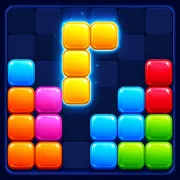
Block Blast 3D is a relaxing yet highly strategic puzzle game that transforms classic block-placement mechanics into a three-dimensional challenge. Players interact with a compact 3D board where perspective and positioning are just as important as the shapes themselves.
With its minimalist visuals, smooth animations, and intuitive controls, the game offers an engaging experience that is easy to learn but difficult to master. Every move requires careful planning as you rotate the board, analyze available spaces, and place incoming pieces efficiently.
Master the 3D Puzzle Board
In Block Blast 3D, you can rotate the board to view it from different angles. This helps reveal hidden spaces and makes it easier to find the best position for each piece.
Each turn gives you a new shape to drag onto the board. As the space becomes tighter, smart placement becomes more important. The goal is to use every empty tile wisely while keeping enough room for future pieces.
To achieve high scores, players should:
- Rotate the board frequently to inspect all sides.
- Place shapes efficiently to avoid wasted space.
- Anticipate future block arrangements.
- Keep the board organized for larger pieces.
- Use special boosters at the right moment.
Special Boosters and Power-Ups
Block Blast 3D introduces useful tools that can rescue you from difficult situations.
- Drill Booster: The Drill can be used once per match. It removes a single tile from the board, creating valuable space when placement options become limited.
- Detonator: The Detonator is another powerful emergency tool. When activated, it explodes all bomb tiles currently on the board, helping prevent dangerous situations and extending your run.
Using these boosters wisely can often mean the difference between a new high score and a game over.
Controls
PC
- Left Mouse Button: Drag and place puzzle pieces.
- Click and Drag: Rotate the board to view different angles.
- Interact with booster icons to activate special abilities.
Mobile
- Swipe: Rotate the puzzle board.
- Tap and Drag: Move and place shapes.
- Tap booster icons to use special tools.
Tips for Better Scores
- Examine the board from multiple angles before placing a shape.
- Leave flexible open spaces for larger pieces.
- Avoid filling isolated corners too early.
- Save boosters for critical moments.
- Think several moves ahead whenever possible.