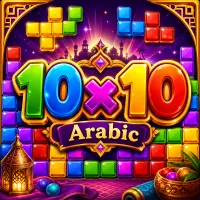
10x10 Arabic







Discover the magical challenge of 10x10 Arabic, place sparkling gems wisely, clear endless rows, and master strategic puzzle combinations for massive scores.
Enter the World of 10x10 Arabic
10x10 Arabic is a relaxing yet highly strategic puzzle game inspired by classic block-placement mechanics and the mystical atmosphere of Arabian tales. Combining the addictive satisfaction of tile-matching gameplay with sparkling jewels and colorful Arabic-inspired visuals, the game delivers an experience that feels both calming and mentally engaging.
Master the Gem Placement Strategy
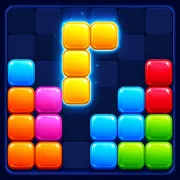
The main objective of 10x10 Arabic is simple: place gem-shaped blocks onto a 10x10 board and clear complete horizontal or vertical lines to earn points and free up space. Each turn provides three random gem patterns. Players must drag and drop these shapes onto the board in the most efficient positions possible. When a full row or column is completed, it disappears instantly, creating more room for future pieces.
As the game progresses, the available space becomes smaller, making smart planning increasingly important. One careless move can leave no room for upcoming blocks and end the game.
Key Gameplay Features
- Place three gem blocks during each round
- Clear full rows or columns to score points
- Keep the board open for future combinations
- Plan several moves ahead for better results
- Survive as long as possible without running out of space
Essential Tips for Higher Scores
- Leave Space for Large Pieces: Avoid filling the center of the board too quickly. Larger shapes become difficult to place later if open areas disappear.
- Create Multiple Clears: Try to complete both horizontal and vertical lines at the same time. This frees more space and improves your score potential.
- Think Ahead: A move that seems helpful now may block future placements. Always consider how upcoming pieces could fit on the board.
- Stay Flexible: Keeping several open areas available gives you more options when difficult shapes appear.
Controls
PC Controls
- Use the mouse to drag and drop gem blocks
- Left-click and hold to move pieces
- Release the mouse button to place blocks
Mobile Controls
- Tap and hold a gem shape
- Drag it onto the board
- Release to confirm placement
More Puzzle Games